How to import API collection into Postman
It is possible to carry out the tests on the endpoints through our documentation page, however it may be necessary to import one of our api´s to your preferred API Client. This is what we will demonstrate below, simple and easy. The program used in the examples will be POSTMAN.
- Go to the desired API reference page.
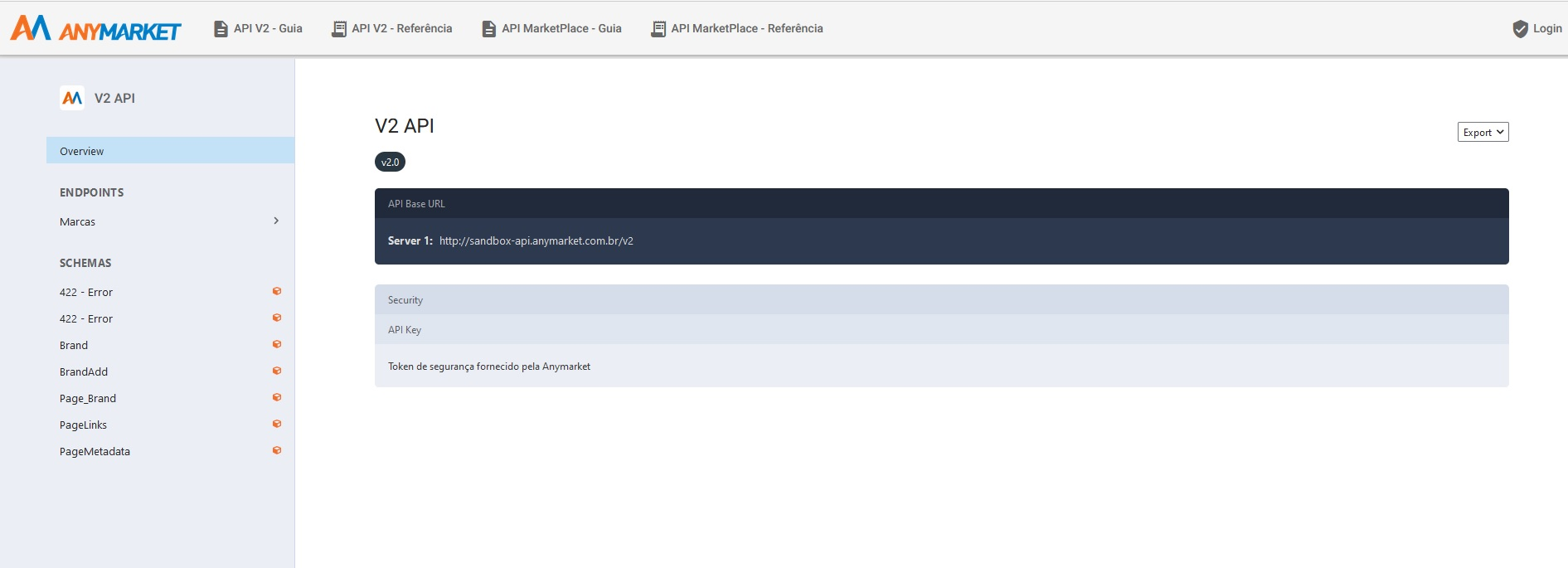
- Select the export option and select Bundled References, and save the file in
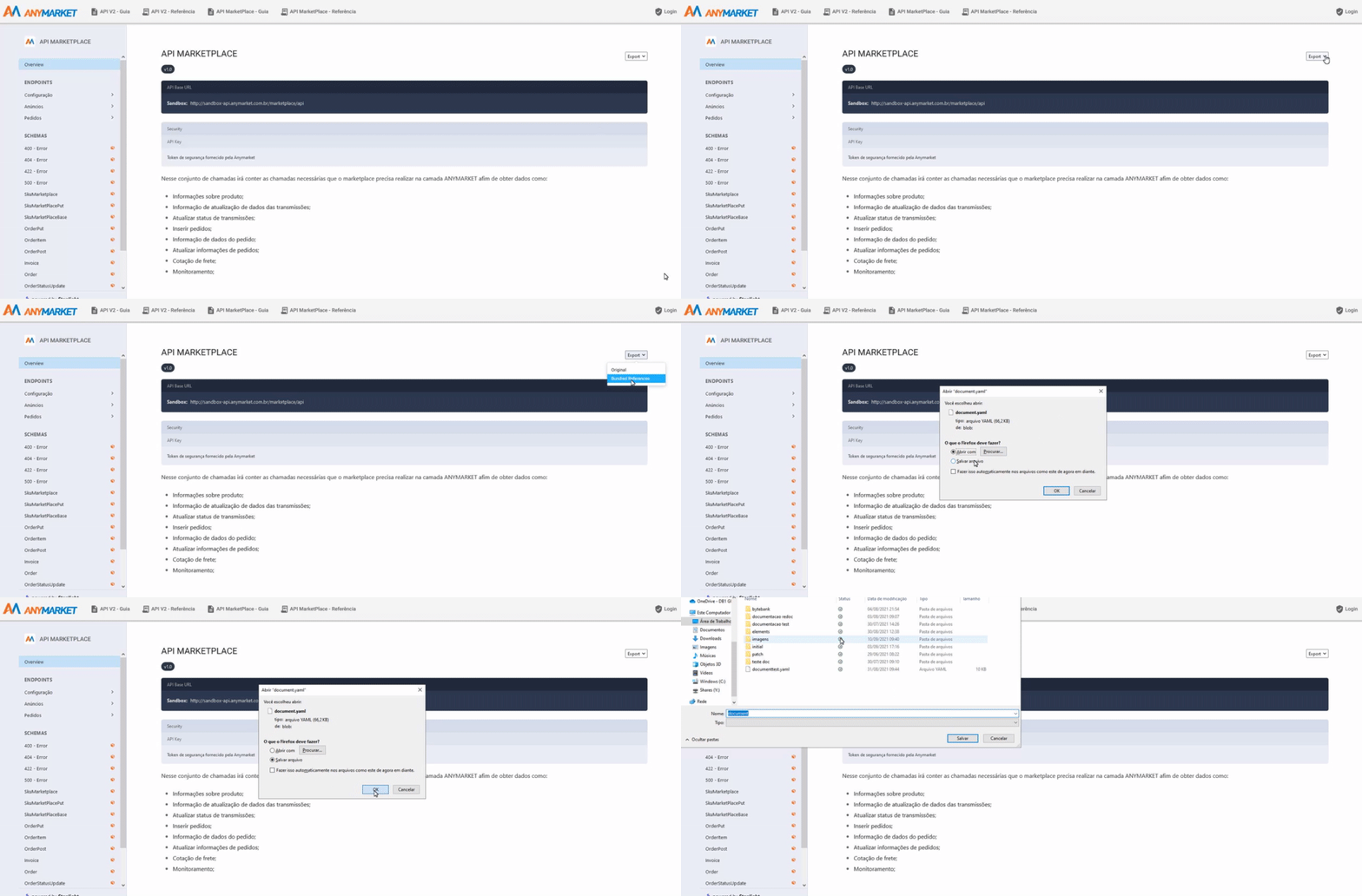
After downloading the .yaml file
Open POSTMAN -> import -> File -> Upload Files.
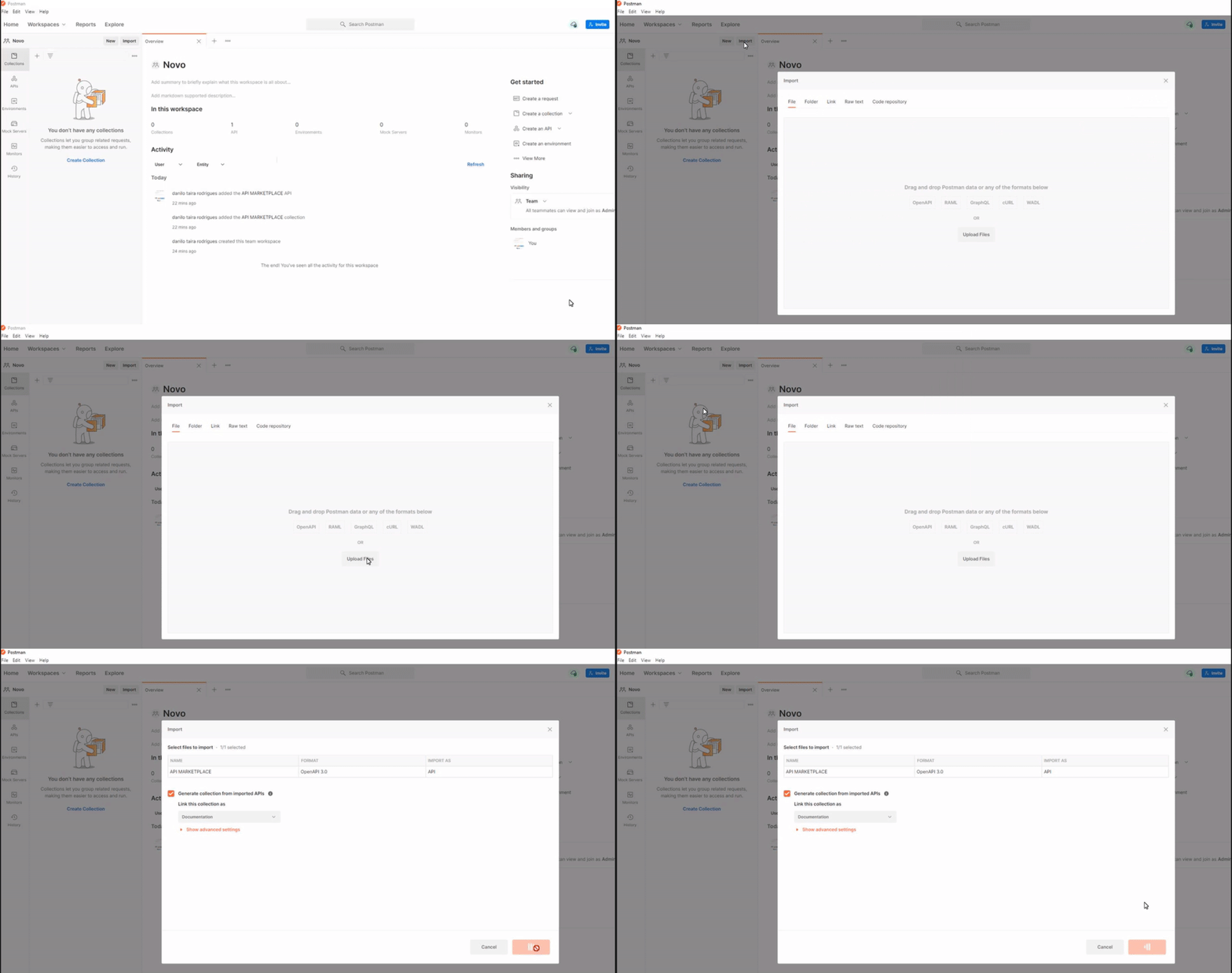
Ready. The collection is imported.
Now we need to define the security token in the collection.
- click on the imported collection
- on the Authorization tab, fill in the Value field with your token
Now just test.