Fulfillment
Fulfillment is a logistics option available in several Marketplaces that integrate with ANYMARKET. In this method, the Marketplace is responsible for the full set of operations and activities from order receipt to the delivery of the product to the end customer.
How to identify Fulfillment orders?
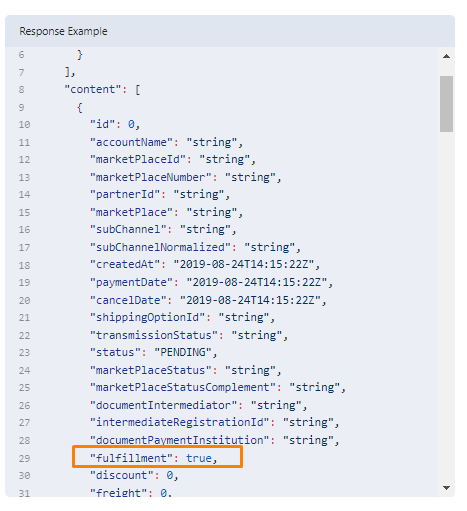
Orders are identified through the "fulfillment" field, available in GET /orders. When this field contains "true", it is a fulfillment order.
Mercado Livre FULL
Mercado Envios Full (or simply "Full") is the Mercado Livre service that consists of receiving, storing, picking, and shipping products sold by Mercado Livre sellers (fulfillment).
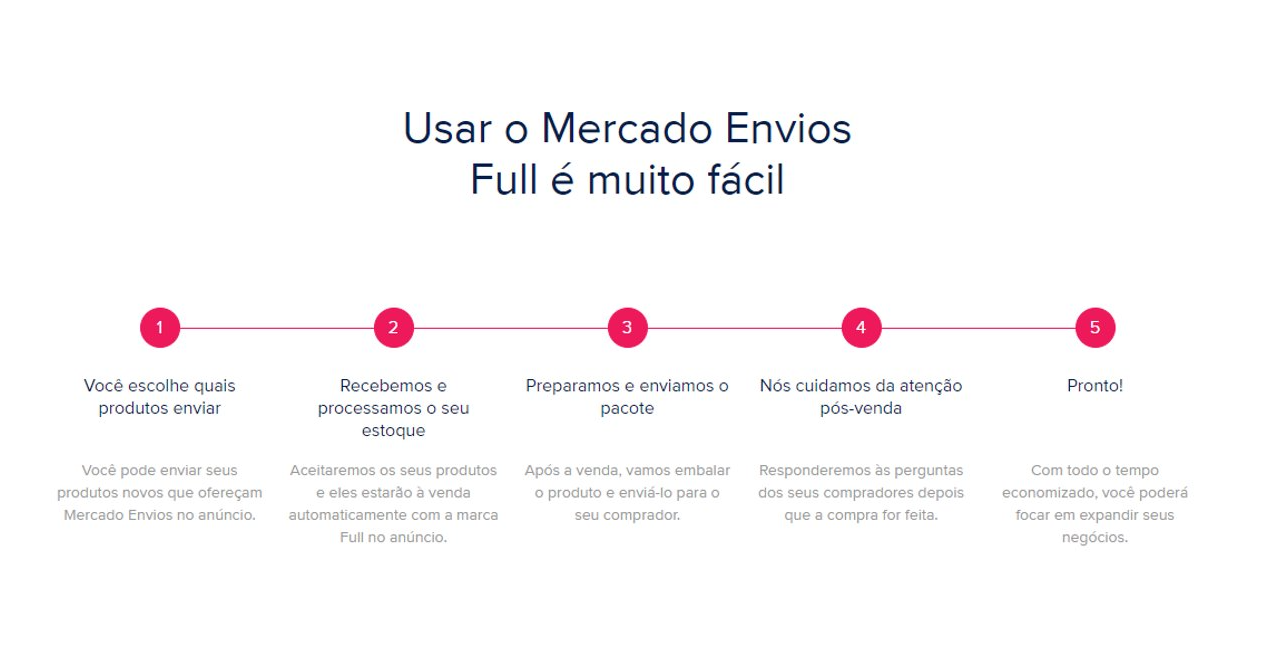
In this flow ANYMARKET does:
- Listing Price Management;
- Makes the invoices available for consumption:
- Inbound Invoice
- Return Invoice
- Sale Invoice
In this flow ANYMARKET does not:
- Update stock
- Manage order statuses (MELI updates orders and we only replicate them to ANY)
Is the ERP responsible for sending the invoices?
No, Mercado Livre handles invoicing using the A1 certificate that the seller configures in MELI when integrating.
One sale invoice for each symbolic return invoice?
Yes, for each sale invoice a symbolic return invoice is generated.
When can I fetch Mercado Livre fiscal documents in ANYMARKET?
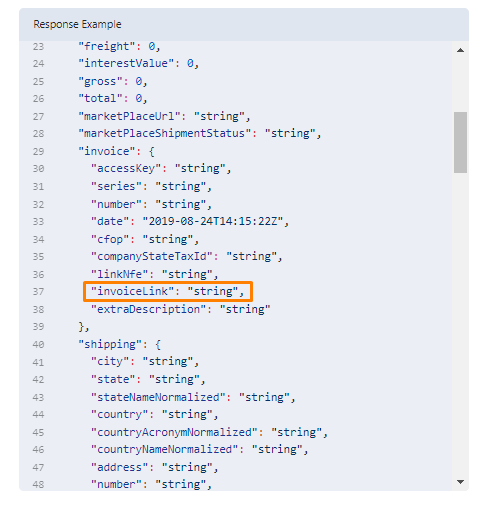
Orders will have the sale invoice updated and made available in ANYMARKET, updating the "invoiceLink" field of /orders, with the link through which it is possible to download the sale invoice.
The remaining invoices will be notified through the callback configured in ANYMARKET, in the following format:
{
  "type" : "INBOUND_NFE",
    "content" : {
    "id":"10",
    "oi":"99999."
  }
}
They will be available for download through the endpoint: /orders/{id}/inbound/marketplace/{marketplace}
To fetch the fiscal documents it is necessary to pass the ANYMARKET Notification ID and the fiscal document type as parameters.
Important
It is of utmost importance to store the Inbound Notification ID issued by ANYMARKET, as invoices can only be viewed through this ID.
B2W Fulfillment
The Americanas (B2W) fulfillment service is a logistics solution in which the marketplace receives the seller's goods and is responsible for storage, delivery logistics, and generation of fiscal documents.
Flow: Invoiced by the Marketplace
Sellers that use the Americanas (B2W) automatic invoicing system have their orders automatically imported into ANYMARKET, properly identified and following the specific fulfillment flow. In this flow ANYMARKET does:
- Listing Price Management
- Makes the invoices available for consumption:
- Return Invoice
- Sale Invoice
In this flow ANYMARKET does not:
- Update stock
- Manage order statuses (B2W updates orders and we only replicate them to ANY)
Flow: Invoiced by the Seller
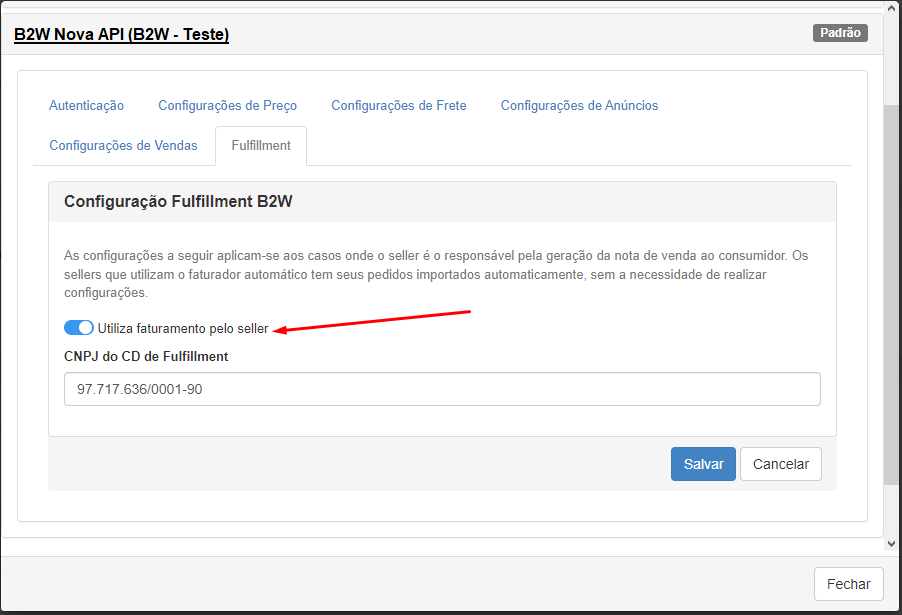
For sellers that use Americanas fulfillment in the seller-invoiced mode (when the seller issues the sale invoice), it is necessary that the "uses seller invoicing" setting is enabled and the CNPJ of the fulfillment distribution center where the goods are stored is properly filled in.
In this flow ANYMARKET does:
- Listing Price Management
- Sends the Invoice XML
- Makes the invoice available for consumption:
- Return Invoice
In this flow ANYMARKET does not:
- Update stock
- Manage order statuses (except invoiced)
When querying order details, the following field will appear in the JSON: "needInvoiceXML: true". The Backoffice must send the XML file for the sale invoice through the endpoint: /v2/orders/{id}/nfe
When can I fetch B2W fiscal documents in ANYMARKET?
After the daily fetch performed by ANYMARKET, orders that had fiscal documents generated on the previous day will have their fiscal documents updated and made available in ANYMARKET, updating the "invoiceLink" field of /orders, with the link through which it is possible to download the sale invoice.
Once the "invoiceLink" field has been filled or updated, the remaining invoices will also be available for download through the endpoint: /orders/{id}/nfe/type/{type}
To fetch the fiscal document it is necessary to pass the order ID in ANYMARKET and the fiscal document type as parameters. For Americanas, only the following types are available for return:
sale: Sale invoicesymbolic_inbound_return: Symbolic return invoice.